




You generated a solid draft with ChatGPT. The structure is clean, the arguments are strong. Then you ran it through GPTZero and got flagged: 98% AI-detected.
So you tried Gemini. Same result. You switched to Claude. DeepSeek. Every LLM produces output that gets caught.
This is not a flaw in any one model. It is a fundamental property of how LLMs work. All transformer-based models generate text by predicting the most probable next token. This creates text with low entropy, uniform pacing, and emotionally flat tone. These are the exact patterns AI detectors are built to find.
The solution is not better prompts or different models. It is dedicated humanization.... restructuring your AI output to replace machine-predictable patterns with natural variation, tonal inconsistency, and sentence rhythm. This guide covers exactly how to do it.
Why Humanizing AI Text Is So Important
Before we dive into the practical tips, let’s take a moment to talk about why humanizing AI text is so crucial in the first place. After all, we’re living in an era where AI can churn out content at lightning speed. So why not just use it as-is?
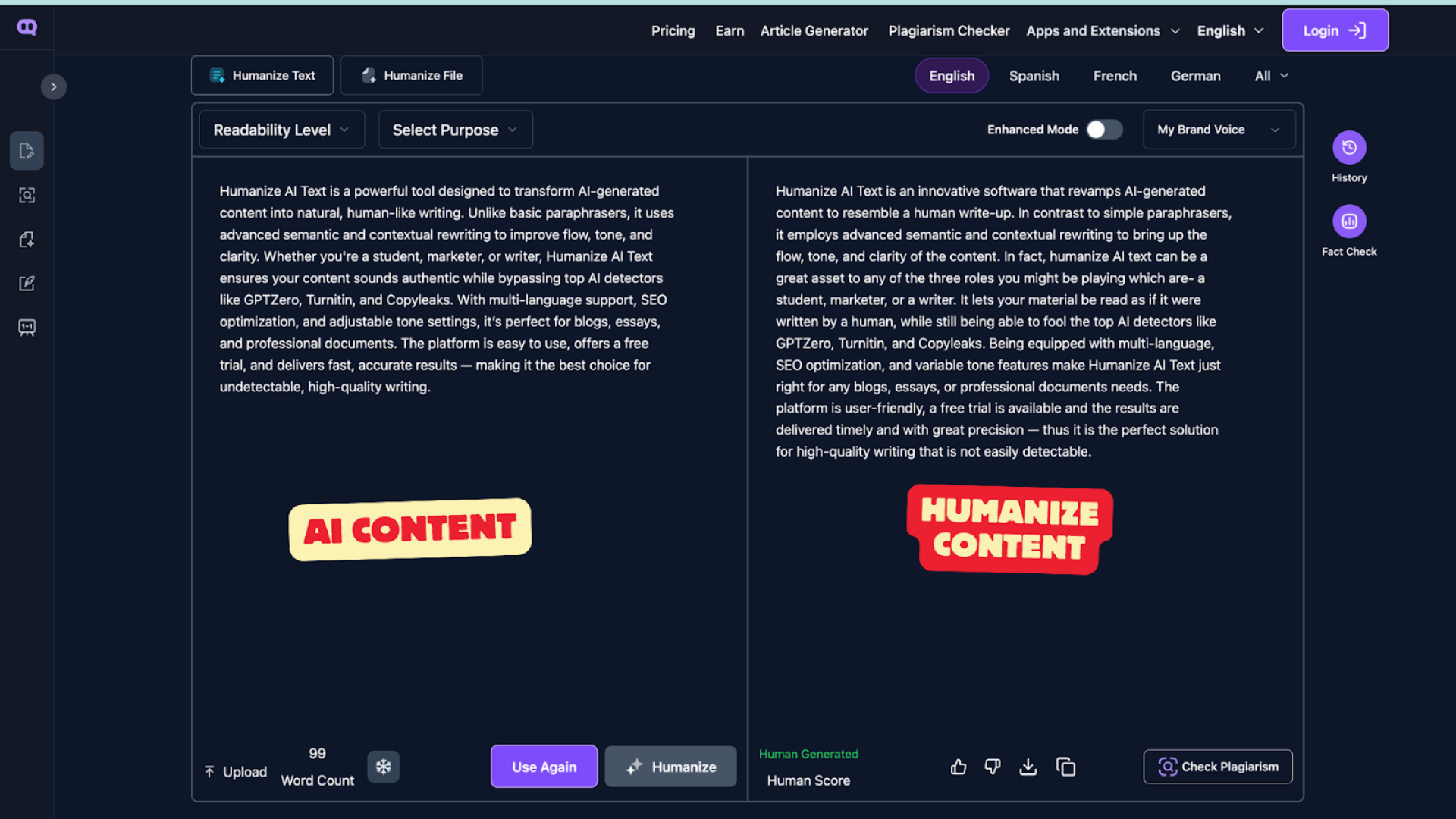
ai content vs human content
Well, AI-generated text might be fast, but it can also be stiff, impersonal, and at times, even incorrect. Whether you’re creating blog posts, marketing copy, or social media content, the quality of your writing reflects your brand. Poor-quality, robotic text doesn’t create emotional connections with your audience. It doesn’t invoke trust, and it doesn’t spark engagement.
Why ChatGPT, Gemini, and Every Other LLM Gets Flagged
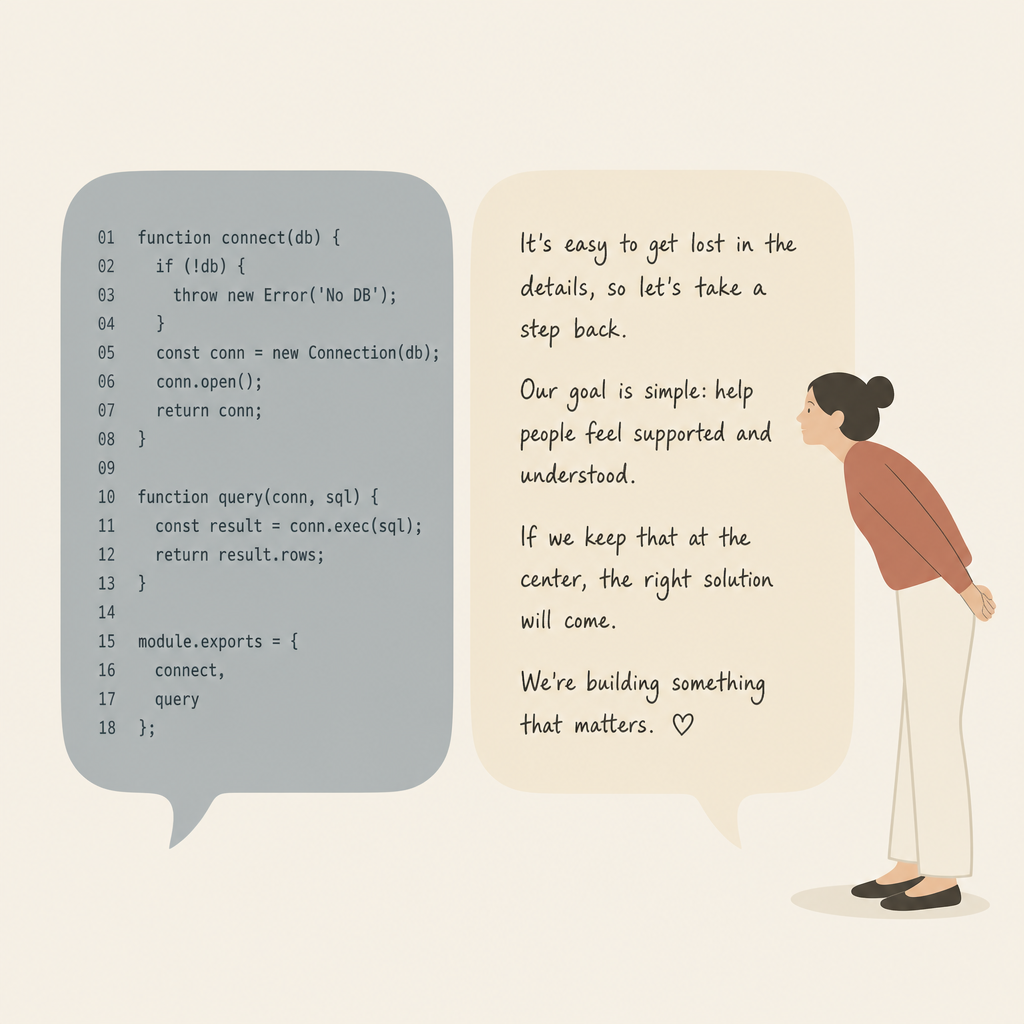
The core problem is not specific to ChatGPT or Gemini. All LLMs operate on the same generation mechanism, producing the same statistical fingerprints that detectors measure.
The Token Prediction Problem
Every LLM generates text by predicting the most likely next token. GPT-4o, Gemini 1.5, Grok-2, Claude, and DeepSeek all use this mechanism.
The result is text with very low perplexity. AI detectors measure exactly this. When every word is the statistically expected choice, the detector scores it as machine-generated.
Humans make unexpected choices constantly unlike the common phrases all LLM tools rely upon. We pick the third-best word because it sounds better. LLMs do none of this. Instead, they optimize for probability, not personality.
The Burstiness Gap
Burstiness measures how much sentence length varies. Human writers produce highly bursty text: a three-word sentence followed by a 40-word one. LLMs produce remarkably consistent sentence lengths. This uniformity is one of the strongest signals AI detectors measure.
A detector does not need to understand meaning. It just looks at the pattern. Consistent rhythm = AI. Varied rhythm = human.
The Entropy Problem
Entropy measures how surprising each word choice is. High entropy means unpredictable selections. Human writing has naturally high entropy. LLM output has consistently low entropy because every word is chosen to be the most probable option.
This is measurable at scale, and detectors exploit it reliably.
Turn ai draft into human
9 Proven Techniques to Humanize AI Output
Before reaching for tools, understand the tactical approaches that work. These techniques address predictability, uniformity, and flat tone.
1. Use Humanizer Tools
The fastest path is a dedicated humanizer. Tools like Humanize AI Text analyze your text and adjust sentence structures, word choices, and overall tone. They replace overly formal phrases with everyday language and fix sentence flow to break rigidity.
This is the single most time-efficient approach if you generate AI content regularly.
2. Specify Personality and Audience in Your Prompts
Tell ChatGPT or Gemini exactly who it is writing for and how it should sound. Instead of writing generically, specify the persona. Specificity creates immediate variation in output.
For a comprehensive view of AI content production, see our guide on the best AI stack for bloggers.
3. Adjust Perplexity and Burstiness in Your Prompt
You can explicitly ask for these properties. Request more dynamic and unpredictable phrasing with varied sentence lengths. This directly targets what detectors measure.
It is a simple prompt tweak that produces immediate structural improvement.
4. Use Micro-Prompts
Micro-prompts are brief, focused instructions like: Make this sound conversational, Write this in a playful tone, or Make it more reflective. These short directives are surprisingly effective.
Use them iteratively. Generate content, then apply micro-prompts to refine.
5. Treat AI Text as a First Draft, Not Final Output
This is the foundation of everything. AI output should always be viewed as a skeleton that needs flesh. Your job is editing, which includes fixing phrasing, adding personality, ensuring alignment with your voice.
This reframing changes how you approach the entire workflow. Learn more about cleaning up AI content in our detailed guide on how to clean up AI-generated content before publishing.
6. Personalize with Stories and Emotion
AI cannot create emotionally engaging stories or relatable experiences. Instead of generic statements, insert personal anecdotes and specific examples that readers connect with.
This approach works particularly well on platforms like LinkedIn. See our guide on humanizing AI text for LinkedIn for practical examples.
7. Edit Sentence Structure and Break Uniformity
AI defaults to passive voice and long sentences. Replace impersonal constructions with active voice. Mix short punchy sentences with longer descriptive ones. Break repetitive sentence patterns.
This is the most manual approach but also the most targeted.
8. Add Facts, Statistics, and Expert Insights
AI tends toward generic information. Ground your content with specific data, expert quotes, and real-world examples. This adds unpredictable specificity that breaks the predictable AI pattern. Use our plagiarism checker to verify all citations are accurate.
Data breaks predictability. Humans write with specifics; AI writes with generalities.
9. Format Your Content for Readability
Use headers, bullet points, bold text, and varied paragraph lengths. This breaks up monotone text and signals that your content has human structure.
Formatting is free humanization.
The Best AI Humanizer Tools
Techniques alone get you 60% of the way. The remaining 40% requires the right tool. Here are the five strongest humanizers evaluated on detection bypass, output quality, and value.
1. Humanize AI Text
This tool solves tonal flatness. Humanize AI Text targets this directly with deep mode control: Standard removes robotic cadence, Shorten cuts over-explanation, Expand adds natural depth, Simplify tames complexity, and Improve Writing lifts engagement.
Key features: File upload with formatting preservation, Brand Voice, Human Score verification, 26-language support, and integration with the article generator.
Best for: Writers focused on matching brand voice and breaking the distinctive LLM tone.
2. AISEO Humanizer
AISEO produces the most consistent humanization across all LLMs. The tool restructures patterns at the level detectors measure: token predictability, sentence rhythm, vocabulary distribution, and tonal variation.
Key features: Purpose Selector, Human Score Meter, Fact Check, Readability Level Control, History Panel, Freeze Keywords, and built-in AI detector.
Best for: Content teams that need SEO protection, accuracy preservation, and consistent voice.
3. Clever AI Humanizer
For anyone using ChatGPT or Gemini regularly without a budget, Clever AI Humanizer gives registered users 7,000 words per submission and 200,000 words per month... all completely free.
Key features: Three humanization modes, generous free limits, built-in grammar checker and paraphraser, 20-language support. Limitation: no built-in detection score meter.
Best for: Casual users and teams generating high volume without detection scoring.
4. Rehumanize.io
Rehumanize.io solves semantic drift with key-term locking. Freeze specific words, data points, and technical terms so the tool rewrites around them.
Key features: Key-term locking, massive batch processing, adjustable tone, length controls, direct export, privacy-first delete-on-use policy.
Best for: Reports, whitepapers, and content where data integrity is critical.
5. Undetectable AI
This platform combines detection and humanization. Run your draft through multiple detection engines simultaneously, then humanize with readability level and purpose controls.
Key features: Unified detection, readability level matching, purpose selection, unlimited detection scanning, API access, money-back guarantee.
Best for: High-stakes use and users who want verification built in.
Step-by-Step Humanization Workflow
This workflow produces the best results regardless of which LLM generated your content.
Step 1: Generate Your Draft
Use ChatGPT, Gemini, Grok, Claude, or DeepSeek. Get the content, structure, and key points right at this stage. Focus on accuracy and completeness. Think of this as outlining.
Step 2: Choose Your Humanizer
For comprehensive humanization, use AISEO or Humanize AI Text. For free high-volume humanization, use Clever AI Humanizer. For technical content, use Rehumanize.io. For combined detection and humanization, use Undetectable AI.
Step 3: Set the Right Mode
Match the purpose or tone setting to your content type. An email needs different humanization than a blog post or research paper.
Step 4: Verify the Score
Use your tool's detection verification. If sections still flag, re-humanize those specifically or try a different mode.
Step 5: Add Your Human Touch
Insert personal perspective, original insights, specific examples, and genuine voice. If you are creating multiple pieces from existing content, see our guide on how to repurpose a blog post using AI.
Step 6: Final Check and Publish
Run one last verification pass, check for plagiarism, optimize for SEO, and publish with confidence.
Frequently Asked Questions
Is ChatGPT Harder to Humanize Than Gemini?
No. Both produce text with the same underlying statistical characteristics. ChatGPT tends toward slightly more formal output while Gemini is marginally more conversational, but both are equally humanizable.
Does GPT-4o Get Flagged More?
Counterintuitively, GPT-4o gets flagged slightly more because it produces more polished, uniformly structured output. Higher quality makes it more statistically consistent, which is what detectors measure.
Can I Humanize Grok, Claude, or DeepSeek?
Yes. All tools on this list work with output from any LLM. All produce the same transformer-based statistical patterns.
What If Humanized Output Still Gets Flagged?
Identify which sections triggered the flag. Re-humanize those specific sections with a different mode or tool. A manual editing pass adding personal voice is also effective.
Is It Ethical to Humanize?
Yes. Using a humanizer is an ethical editing practice as long as ideas still originate from you. The key is transparency in authorship.
What is the Best Free Option?
Clever AI Humanizer offers 200,000 words per month free. Rehumanize.io supports up to 50,000 words per pass. Humanize AI Text has a free tier. AISEO offers a $1 trial.
Can I Humanize Code?
These tools are designed for prose, not code. For documentation and explanatory text, humanization works normally. Use Rehumanize.io for technical content needing precision.
Tool vs. Manual Editing?
Use a tool if: you generate frequently, need consistent results, are on deadline, or lack confidence in manual editing.
Use manual editing if: you have time, want maximum control, are editing one piece, or prefer hands-on work.
Best practice: Combine both. Use a tool for speed, then manually refine sections needing personality.
About the Author

Dilyar Buzan is the founder and CEO of AISEO.ai, an AI-native SEO platform. With a background in AI from the University of Amsterdam, Dilyar specializes in Generative Engine Optimization (GEO), Answer Engine Optimization (AEO), and AI-driven content strategy, helping brands earn visibility across ChatGPT, Perplexity, Google AI Overviews, and traditional search. He's also co-founder of Sceneform.ai, an AI content platform for brands and creators.