





Something changed around 2024 that most AI writing guides still haven't caught up with.
AI-generated content stopped being obviously bad. The grammar is clean. The structure is organized. The subtopics are covered. The word count is right. And the output still underperforms — in rankings, in engagement, in conversions — because it sounds like it was written by no one in particular.
That's the actual problem AI humanization tools exist to solve. Not "bypass detection." Not "trick GPTZero." The real problem is that AI-generated content at scale becomes indistinguishable from every other AI-generated article on the same topic, and readers notice within the first few sentences.
This guide covers what actually separates good AI humanization tools from synonym-swappers, how to match a tool to your specific content workflow, and which tools hold up when you're working with long-form content that needs consistency across 3,000+ words.
Why AI Content Sounds Generic (And Why It Gets Worse at Scale)
Every major language model, be it GPT-4o, Gemini, Claude, or DeepSeek, was trained to generate statistically probable language. That means the outputs are competent, but they tend toward the center. Average sentence length. Average vocabulary distribution. Average phrasing choices.
Human writing doesn't work that way. Real writers over-explain things they care about. They use oddly specific examples. They interrupt themselves. They vary pacing intentionally. They occasionally say something surprising or slightly wrong and then correct it in the next sentence. That variation is what makes content feel like a person wrote it.
The problem compounds at scale. When thousands of content teams use the same models with similar prompts, the internet slowly fills with the same transitions, the same hooks, the same sentence patterns.
As a result, a LinkedIn post about leadership written in ChatGPT sounds like every other LinkedIn post about leadership written in ChatGPT. An affiliate blog post about the best [X] for [Y] follows the exact same rhythm as the 400 other affiliate posts ranking for the same keyword cluster.
AI humanization tools try to reintroduce the variation that models average out.
The good ones work at the structural level, covering sentence rhythm, paragraph flow, pacing variation. The bad ones just swap vocabulary and call it done, which usually makes the problem worse by introducing awkward phrasing without fixing the underlying monotony.
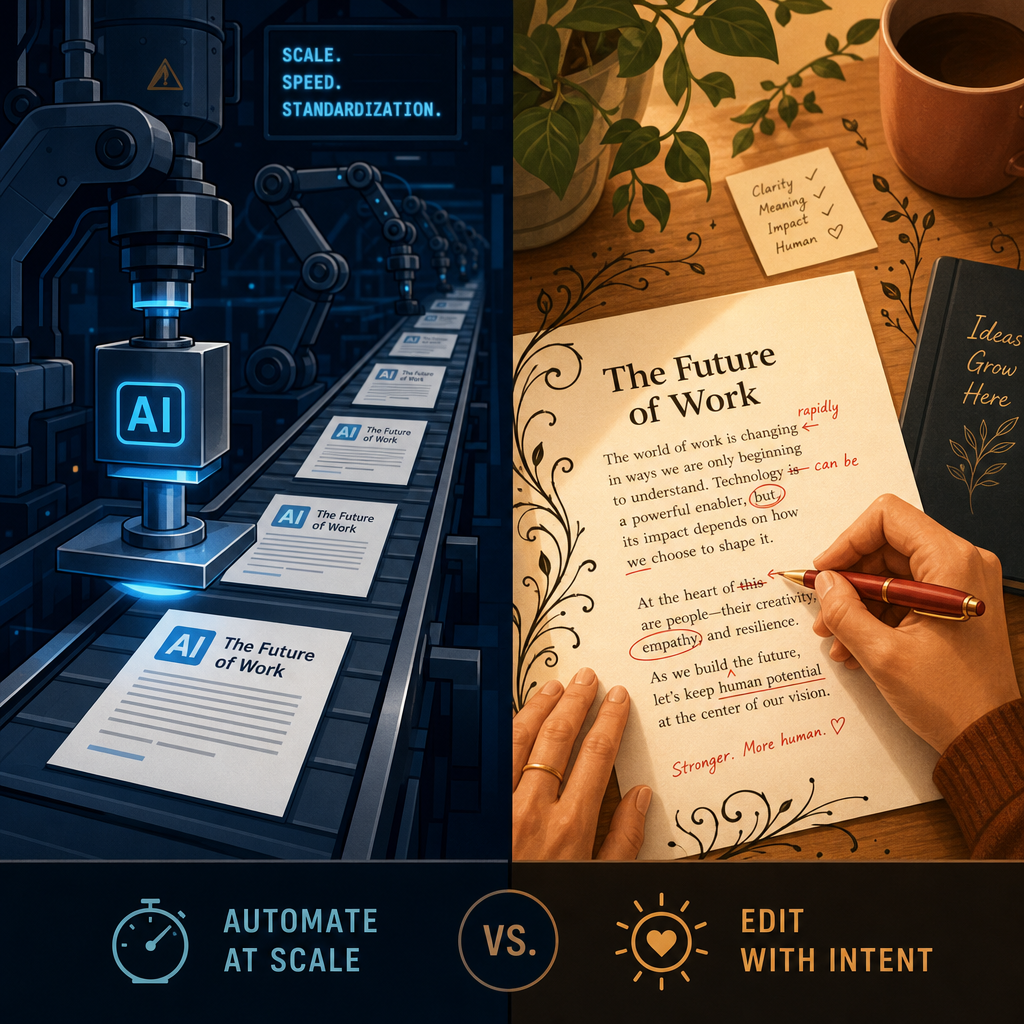
The Two Problems Are Different And Most Tools Only Solve One
Before getting into specific tools, it's worth being clear about what you're actually trying to fix.
Problem 1: Detection
AI detectors like GPTZero, Originality.ai, and Turnitin flag content based on statistical patterns , such as low perplexity (predictable word choices) and low burstiness (uniform sentence length). If you need to pass a detector, you need a tool that disrupts those patterns structurally.
Problem 2: Quality
Even content that passes every detector can still read as flat, impersonal, and generic. This is the problem that actually hurts content performance — lower engagement, higher bounce rates, weaker rankings, and audiences who stop trusting the publication.
Most AI humanizer tools on the market were built to solve Problem 1. They optimize for detection scores. The output may pass GPTZero but still reads like it was written by a committee that had no opinions about anything.
Content creators, SEO teams, and agencies mostly need to solve Problem 2. They need content that reads well, holds reader attention, and sounds like it came from someone with a perspective, not content that just has enough lexical variety to avoid a red flag.
The tools in this guide are evaluated primarily on Problem 2. Where detection performance is relevant, that's noted. But the rankings are built around editorial quality, readability, and workflow fit.
How We Evaluated These Tools
We ran the same set of test inputs through each tool: a 2,400-word SEO blog post, a 600-word business report section, a LinkedIn post, and a 300-word email newsletter intro. For long-form consistency, we also tested each tool on a 4,000-word draft and evaluated whether the output maintained consistent tone and pacing from section to section.
The evaluation criteria:
| Criterion | What we looked for |
|---|---|
| Sentence rhythm variation | Did the tool vary sentence length naturally, or did it produce uniformly structured output? |
| Pacing and paragraph flow | Did sections read at different speeds, or was the pacing flat throughout? |
| Meaning preservation | Did the tool maintain the original intent, or introduce errors and awkward synonyms? |
| Formatting retention | Did headings, lists, and paragraph breaks survive the humanization pass? |
| Long-form consistency | Did tone and style hold across 3,000+ words, or drift mid-document? |
| SEO preservation | Did keyword placements and anchor phrases survive intact? |
| Editing flexibility | Could you control the intensity of changes, or was it all-or-nothing? |
We did not rank tools primarily on AI detector bypass rates. That's a different use case with different tools optimized for it. For the content creator and SEO audience, editorial quality matters more than a GPTZero score.
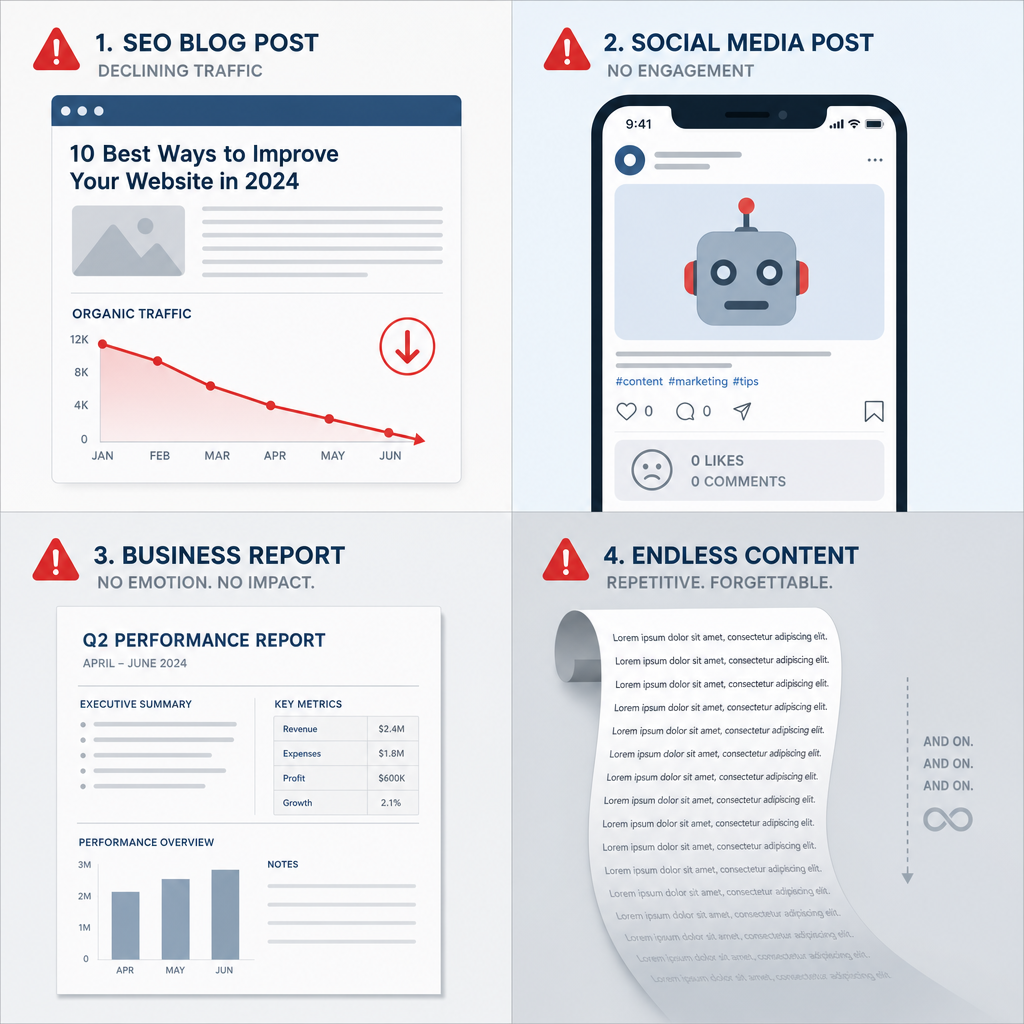
What Separates Good Humanizers from Synonym Blenders
Most cheap humanization tools are glorified paraphrasers. They replace "utilize" with "use," swap "substantial" for "significant," and reorder a few clauses. The statistical patterns remain. The tone stays flat. The output reads like the same AI draft after passing through a thesaurus.
A genuinely effective AI humanizer does something harder: it restructures how sentences and paragraphs function, not just what words they use.
That means:
- Sentence rhythm. Alternating between short, punchy sentences and longer flowing ones. Not five sentences of the same length in a row. Not every sentence starting with the subject.
- Paragraph pacing. Some ideas deserve two sentences. Others deserve six. Good humanizers vary paragraph weight rather than treating every point with the same amount of space.
- Tonal range. Human writing shifts register slightly throughout. The introduction has a different energy than the middle section. The conclusion is more direct. Flat humanizers produce one tone from start to finish.
- Transition variety. Not "Furthermore," "Additionally," and "Moreover." Real writers use "So," "But," "Here's the thing," and sometimes nothing at all... they just start the next idea.
- Structural variety. Not every section formatted the same way. Not every paragraph following the same claim-support-example pattern.
The tools below are ranked on these criteria, not on bypass rates alone.
The Best AI Humanization Tools in 2026
1. Humanize AI Text: Best Overall for Content Creators and Editorial Workflows
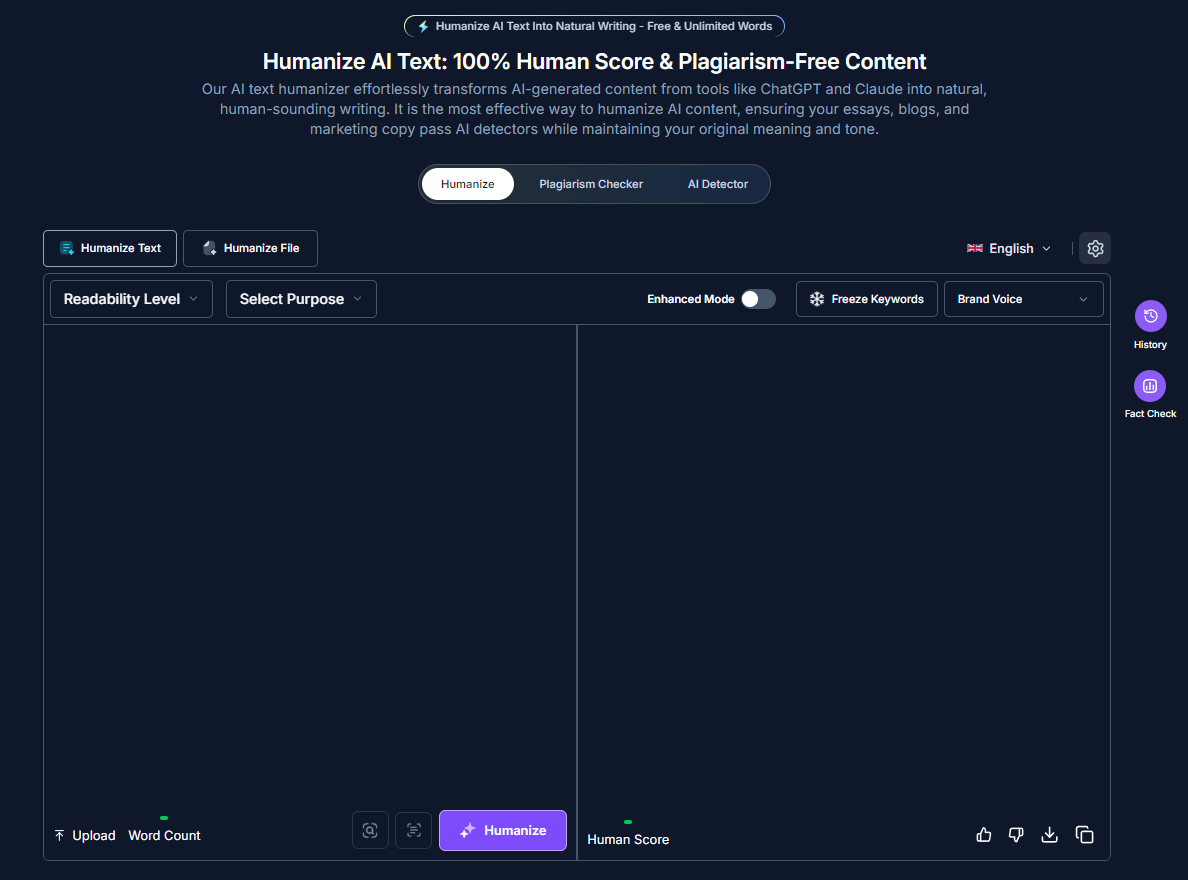
Humanize AI Text is the strongest option for content teams that need publication-ready output, not just output that passes a detector. It works at the structural level: sentence restructuring, rhythm variation, pacing adjustments, and paragraph flow. The output reads like a human editor revised the draft, not like a synonym engine processed it.
What makes it genuinely different from most tools is how it handles long-form content. Many humanizers work fine on short chunks but start producing inconsistent output around the 2,000-word mark: the tone shifts, the sentence patterns become repetitive again, and the second half of a long article ends up reading differently from the first half.
Humanize AI Text maintains consistency across full-length articles, which matters a lot for SEO content and long-form editorial pieces where structural drift is immediately noticeable.
The formatting preservation is also worth mentioning separately. It retains headings, paragraph breaks, and list structures through the humanization pass. You don't get output that collapses your outline into a wall of text and requires rebuilding the structure from scratch.
For an independent breakdown of how the tool performs across different content types, the Humanize AI Text review covers specific use cases in detail.
Best for: SEO content teams, affiliate publishers, business writers, newsletter authors, long-form editorial workflows.
Strongest at: Long-form consistency, readability improvement, formatting preservation.
Modes available: Multiple rewriting intensity levels, so you can apply a lighter pass on content that just needs rhythm adjustments versus a more aggressive restructure on heavily AI-sounding drafts.
Where it's less useful: Very short-form copy (under 150 words) where there isn't enough structural complexity to improve.
2. AISEO: Best for SEO Agencies and Keyword-Sensitive Workflows
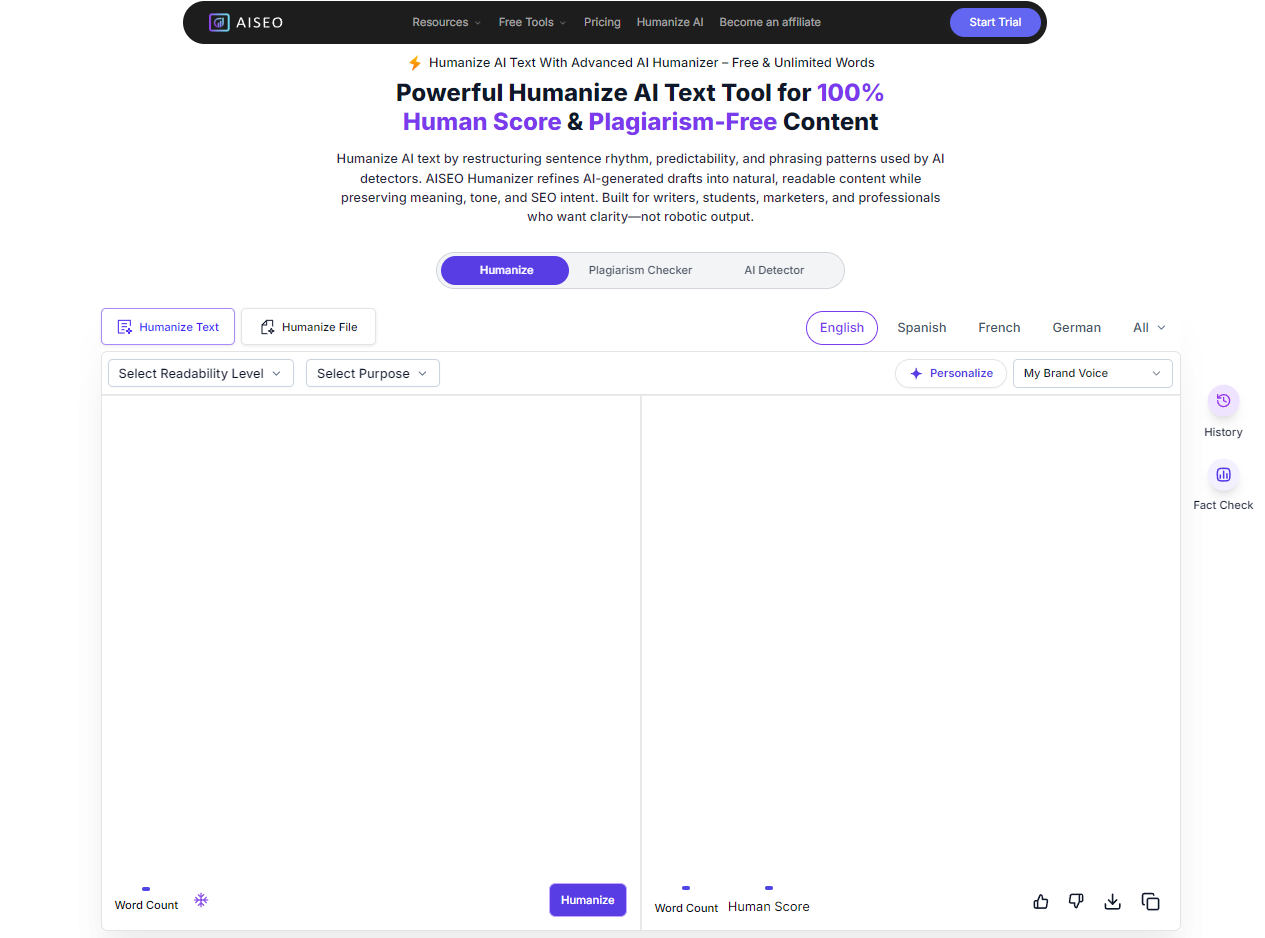
AISEO is the tool to reach for when keyword preservation is non-negotiable. For affiliate publishers and SEO agencies running high-volume content production, the risk with humanization is always that the tool drifts your target keywords, rewrites your anchor phrases, or restructures the sentences carrying your primary keyword placements. AISEO handles this better than most.
The Human Score meter gives you a real-time quality signal as you edit, which helps in production workflows where you're processing multiple pieces back-to-back and need an objective indicator rather than reading each one from scratch.
The built-in readability controls let you set a target grade level and adjust tone. It's super useful when you're working across different site types that need different register.
The fact-checking and history panel features are genuinely practical for agency use: being able to compare before/after versions within the tool saves the copy-paste workflow that makes humanization take twice as long.
For content teams running mixed workflows: SEO content plus supporting editorial pieces: AISEO pairs well with Humanize AI Text. Use AISEO for keyword-heavy content where preservation is critical, and Humanize AI Text for editorial pieces where voice and flow matter more than keyword placement.
If you want to dig deeper into the SEO side of this workflow, the guide on how to optimize AI content for SEO covers the pre-publish optimization pass that should always follow humanization.
Best for: SEO agencies, affiliate publishers, content teams doing keyword-sensitive work at scale.
Strongest at: Keyword and anchor phrase preservation, readability controls, workflow features.
Where it's less useful: Purely editorial content where voice and personality matter more than technical SEO precision.
3. Wordtune: Best for Sentence-Level Cleanup and Rewriting
Wordtune is not a full humanizer. It's a sentence-level editor, and the distinction matters. It works best when you've already done a structural humanization pass and need to fix individual sentences that still read mechanically. It's great at removing awkward phrasing, odd synonym choices left behind by another tool, and sentences that are grammatically correct but rhythmically wrong.
The tone adjustment feature is useful for switching between formal and casual register within a document. It won't restructure your content, but it handles individual sentence rewrites cleanly.
The practical workflow is to run Humanize AI Text first for the structural pass, then use Wordtune inline for specific sentences that need additional attention. Trying to use Wordtune alone as a full humanization solution on long-form AI content is slow and produces uneven results because you're working sentence by sentence on a document that has structural problems throughout.
Best for: Sentence-level cleanup after a full humanization pass, light tone adjustments, editorial polishing.
Where it's less useful: Full-document humanization, long-form restructuring, anything where you need consistent output across 2,000+ words.
4. Undetectable AI: Best for Detection-Focused Rewriting
Undetectable AI is built primarily for Problem 1 (detection). It optimizes for passing GPTZero, Originality.ai, and similar tools. On that specific goal, it's effective.
The limitation for editorial content is that detection-optimized rewriting and quality-optimized rewriting sometimes pull in opposite directions. Undetectable AI's output often passes detectors cleanly but still requires a meaningful editing pass afterward to sound natural for publication.
It introduces enough structural variation to confuse detection algorithms, but the variation isn't always editorially sound. At times, you get sentences that are varied but awkward, or paragraph breaks that disrupt flow rather than enhance it.
For content that genuinely needs to pass detection, including AI-assisted academic drafts, content for platforms with strict AI policies, it's a reasonable choice. For content creator and SEO workflows where publication quality is the goal, the post-processing editing overhead reduces the time advantage.
Best for: Detection-sensitive workflows, AI-assisted academic writing, content subject to AI policy review.
Where it's less useful: Editorial content where flow and voice matter as much as detection scores.
5. StealthGPT: Best for Speed at High Volume
StealthGPT processes text faster than most alternatives. For teams running very high output volumes where speed is the constraint, it can handle more pieces per session than slower tools.
The trade-off is nuance. StealthGPT's rewrites tend to be more surface-level, and on long-form content, the second and third sections often drift in quality relative to the first. It's better suited to short-form content, like social posts, email subject lines, short ad copy, where the speed advantage matters and the structural depth requirements are lower.
For long-form editorial content or anything that needs to hold up to careful reading, the output typically requires more manual cleanup than AISEO or Humanize AI Text.
Best for: High-volume short-form content, rapid draft cleanup, social media copy.
Where it's less useful: Long-form articles, business writing, anything requiring editorial consistency.
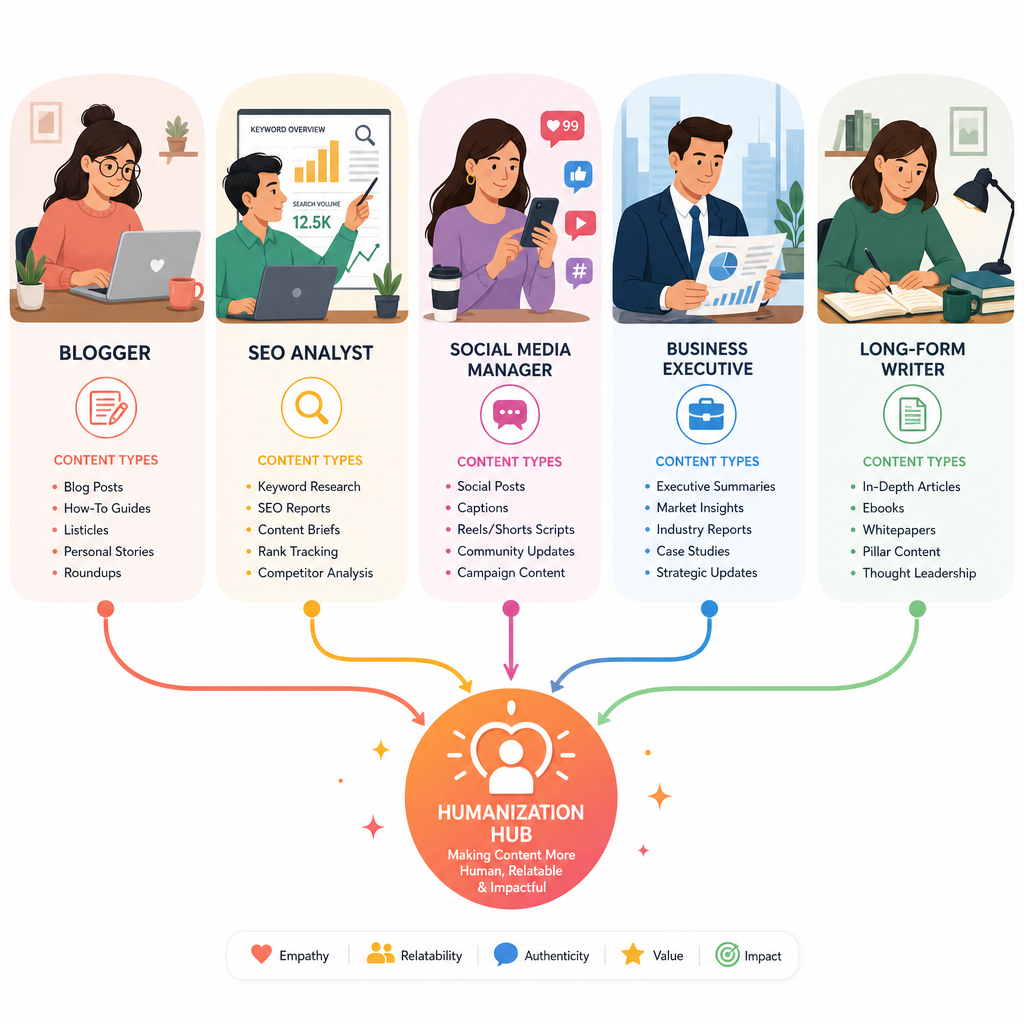
Side-by-Side Comparison: Which Tool for Which Content Type
| Content Type | Primary Tool | Supporting Tool | Why |
|---|---|---|---|
| Long-form SEO articles (2,000+ words) | Humanize AI Text | AISEO | Long-form consistency + keyword preservation |
| Short affiliate/blog posts | Humanize AI Text | Wordtune | Readability + sentence-level polish |
| Business reports and proposals | Humanize AI Text | N/A | Preserves professional register without sounding casual |
| LinkedIn and social media | Humanize AI Text | Wordtune | Tone variation + platform-appropriate voice |
| Newsletter content | Humanize AI Text | N/A | Pacing and rhythm variation for reader retention |
| SEO agency content at scale | AISEO | Humanize AI Text | Keyword preservation + Human Score monitoring |
| Academic/detection-sensitive | Undetectable AI | Humanize AI Text | Detection-first, editorial cleanup after |
| High-volume short-form | Humanize AI Text | StealthGPT | Speed at volume + sentence polish |
Where AI Content Fails by Format And What to Fix
The quality problems in AI-generated content aren't universal. Each content format breaks in a specific way, and knowing which problem you're fixing changes which tool and which settings to use.
Long-Form Blog Posts and SEO Content
The failure mode here is structural. AI-generated long-form content often starts fine and deteriorates. Around the 2,000-word mark, patterns become obvious: repetitive transitions, recurring sentence structures, identical paragraph length throughout, tone that stays at exactly the same level of energy from the first section to the last.
The fix requires a tool that can process the full document and apply variation at the paragraph level, not just sentence by sentence. Running a 4,000-word article through a tool that only processes 500 words at a time produces inconsistent results, mostly because the humanized chunks don't flow into each other naturally.
For SEO content specifically, the tips for humanizing AI-generated text covers the specific pattern-breaking techniques that work on blog content without disturbing keyword placements.
Social Media and LinkedIn
Social platforms have developed what amounts to an AI blindness reflex in their audiences. Readers can detect the tone signature of AI-generated social content almost immediately, such as the over-polished hooks, the motivational sentence structure, the conspicuous absence of anything specific or personal.
The fix here is adding specificity and removing optimism. AI models default to positive, safe, broadly applicable statements. Human social posts reference specific things: a particular conversation, a counterintuitive observation, a concrete number, a situation that only applies to some people.
For LinkedIn specifically, the guide on humanizing AI text for LinkedIn covers the platform-specific adjustments that make AI-assisted posts perform differently from the generic template.
Business Writing
Business writing has a different failure mode than editorial content. The problem isn't usually tone or rhythm; it's conviction. AI-generated business reports and proposals often deliver structure while removing judgment. The analysis is present. The recommendation is neutral. The reader finishes the document without a clear sense of what the author actually thinks they should do.
The fix is editorial, not just humanization. After a humanization pass, business writing needs someone to add the directional opinion that AI is trained to avoid: "Of these three options, Option B is the right one because..." AI won't write that sentence confidently. A human has to put it back in.
Newsletters
Newsletters fail when the voice disappears. The problem is that AI writes for an average reader, not for the specific audience of a specific newsletter. The references are too broad, the examples are too generic, and the sense that the author knows their readers doesn't come through.
The humanization pass helps with rhythm and pacing, but the bigger fix is audience specificity: adding references that only your actual readers will understand, using inside shorthand, and occasionally saying something that might not land with everyone because it's too specific. That specificity is what makes newsletters feel personal.
How to Test Whether Your Humanized Content Actually Works
Most people evaluate humanized content by checking a detector score. That's the wrong test for editorial quality.
Here are four faster, more accurate tests:
The read-aloud test.
Read the output out loud. You'll catch rhythm problems, awkward phrasing, and unnatural sentence structures immediately. If you stumble, the sentence needs rewriting. If you sound like you're presenting a quarterly report to a room of empty chairs, the tone is wrong.
The skim test.
Skim the article the way a reader would by scanning headings, reading the first sentence of each paragraph. If the first sentences are all topic statements ("This section covers..."), the content is too mechanical. First sentences should do more work: make a claim, ask a question, provide a specific detail.
The 100-word test.
Pick any 100-word block from the middle of the article. Ask: does this sound like it was written by a specific person with a specific perspective? Or does it sound like background information from a reference document? If it's the latter, it needs another pass.
The colleague test.
Share the content with someone who didn't write it and ask them if they'd share it with their own audience. If the honest answer is "probably not," the humanization didn't go far enough.
Best Practices for AI-Assisted Editorial Workflows
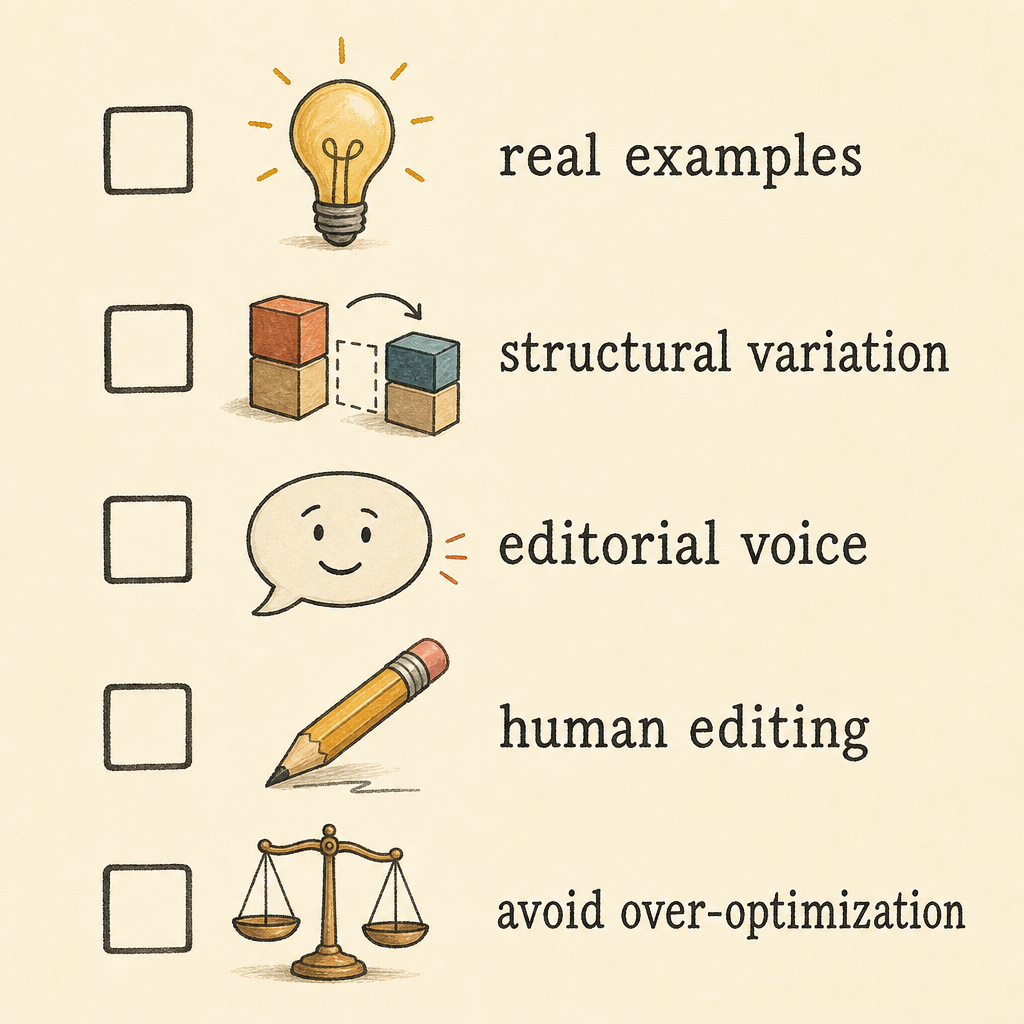
Humanization tools work best as one step in a workflow, not as a replacement for the full process. Here's the workflow that produces consistently good output:
Step 1: Generate with specificity in the prompt
The more specific the AI prompt, the less generic the output. Include the target audience, the specific angle, the tone, and examples you want referenced. Vague prompts produce average outputs that need more work to humanize.
Step 2: Run the humanization pass first
Process the full document before doing any manual editing. Manual edits on non-humanized content get overwritten when you run the humanizer. Humanize first, then edit.
Step 3: Add original material manually
This is the step most people skip, and it's the one that makes the biggest difference. AI content lacks first-hand experience. Add: a specific example from your own work, a counterintuitive observation, a number from your own data, an opinion that a reasonable person might disagree with. One or two additions per major section is enough.
For the full process on cleaning up AI content before publishing, the walkthrough on how to clean up AI-generated content covers each step in sequence.
Step 4: Run the editorial checks
After the humanization pass and your manual additions, check: Does every section have at least one specific detail? Does the pacing vary across sections? Do the headings make claims, or just label topics? Are there any repetitive transition phrases?
Step 5: Don't over-optimize
Over-humanized content often gets worse, not better. Running content through multiple tools back-to-back, or applying aggressive humanization settings on content that only needs light work, tends to produce output that's been mangled in ways that require extensive cleanup. One good pass is almost always enough.
Using AI Across Your Full Content Workflow
If you're running a content operation at scale, humanization is one piece of a larger AI-assisted workflow. The question isn't just which humanizer to use but how humanization fits with the other tools in your stack.
For bloggers specifically, the guide on the best AI stack for bloggers covers how to sequence AI tools across research, drafting, humanization, and optimization without creating a workflow that requires more time than it saves.
For teams producing content at scale across multiple formats, content repurposing is often where humanization matters most. Taking a well-performing article and adapting it into social posts, newsletter sections, or email sequences. Our guide on repurposing blog posts using AI covers how to adapt content without losing the voice that made the original perform.
Final Thoughts
The internet has enough AI content that passes a detector and fails an audience.
The difference between content that ranks, gets shared, and builds an audience versus content that doesn't isn't which model generated the draft. It's whether the final output sounds like a person with a specific point of view wrote it for a specific group of readers.
AI humanization tools are part of how that gap gets closed. The right tool, in the right step of the right workflow, produces content that reads like it came from someone who actually knows the topic and cares about the reader. The wrong tool, applied without editorial judgment, just moves your content from "obviously AI" to "technically not quite as obviously AI."
Start with Humanize AI Text for editorial and long-form work. Add AISEO if keyword preservation is a hard requirement. Edit manually after every humanization pass. And make sure the published version has at least a few things in it that no AI would have added on its own.
That last part is the part that actually makes it work.
FAQs About AI Humanization Tools
What's the difference between an AI humanizer and a paraphrasing tool?
A paraphrasing tool swaps vocabulary. An AI humanizer restructures sentences, adjusts paragraph rhythm, and changes how the text flows at a structural level. The output from a paraphraser often reads like the same AI draft after passing through a thesaurus: different words, identical patterns. A good humanizer produces something that reads like a second draft from a human editor: different structure, not just different vocabulary. If you paste in AI-generated text and the output looks like a word-for-word synonym replacement, you're using a paraphraser, not a humanizer.
Will humanizing AI content help it rank in search?
Indirectly, yes. Google doesn't penalize AI content. However, it penalizes low-quality content that lacks originality, expertise, and usefulness. Humanization addresses several of the signals that correlate with quality: lower bounce rates (because the content reads better), more social sharing (because it sounds like a real person wrote it), and stronger topical depth (because the improved flow makes complex ideas clearer). None of those are guaranteed outcomes from humanization alone, but they're realistic improvements when you combine humanization with genuinely useful content.
How do I know if my content still sounds robotic after humanizing?
Read it out loud. If you stumble, the rhythm is off. If you find yourself reading in a flat, monotone voice because every sentence is about the same length and makes exactly one point, the pacing didn't change enough. The second test: ask whether a real person with opinions about the topic would have written this. If the answer is "maybe, but they wouldn't have phrased it this way," you need another pass or some manual additions to make the perspective more specific.
Does Humanize AI Text preserve headings, formatting, and keyword placements?
Yes. Humanize AI Text retains document structure, including headings, paragraph breaks, and list formatting, through the humanization pass. For keyword-sensitive content, the rewrites focus on sentence rhythm and flow rather than altering the specific phrases carrying your target keywords. That said, any humanization tool can occasionally rewrite a keyword phrase in a way that changes the target term, so a quick keyword check after humanizing is worth adding to your production workflow.
Can AI humanizers handle 3,000+ word articles without losing consistency?
Most can't. Cheap humanizers introduce tone inconsistencies around the 1,500-word mark. The first section reads fine, the second starts to drift, and by the end of a long article the output feels like it was written by a different tool than the one that handled the introduction. Humanize AI Text and AISEO both perform better on longer formats, though any article over 2,500 words benefits from a final human read-through before publishing. Long-form consistency is one of the harder problems in AI humanization, and no tool has fully solved it.
Should I humanize every piece of AI content I publish?
No. Short factual content, such as FAQs, feature descriptions, technical specs, often doesn't need humanization. The format is inherently direct, and readers aren't looking for personality in those sections. The biggest return on humanization is in content where voice and pacing matter: editorial articles, opinion pieces, newsletters, LinkedIn posts, and long-form content where the reader needs to stay engaged across multiple sections. If the content is functional and the reader just needs the information, humanization is optional. If the content needs to build trust or hold attention, it's not.
What should I do with AI content after humanizing it?
Humanization is not the final step. It's the second-to-last step before publishing. After humanizing, add at least one or two pieces of original material per major section: a specific example from your experience, a number from your own data, a direct opinion on the topic. Then run the read-aloud test and the skim test described above. Then check that your keyword placements are intact if you're publishing SEO content. Humanized content that goes straight from tool to CMS without human review is almost always detectable by a reader.
About the Author

Bishal is a senior SEO strategist, content researcher, and AI automation expert. He builds technical SEO strategies and custom n8n workflows for AI-native agencies. He also focuses on Generative Engine Optimization (GEO) to help brands adapt and dominate in today's AI-driven search landscape.